> ## Documentation Index
> Fetch the complete documentation index at: https://docs.botmailroom.com/llms.txt
> Use this file to discover all available pages before exploring further.
# Custom Authentication Rules
> Specify who is allowed to send emails to your inbox
## Authentication Options
When [creating or updating an inbox](/documentation/api-reference/inbox/upsert-inbox), you can specify the following authentication options:
* **allow\_cc**: `bool` If `true`, emails that contain the inbox email address in the Cc field will be marked valid
* **allow\_bcc**: `bool` If `true`, emails that contain the inbox email address in the Bcc field will be marked valid
* **spf\_pass\_required**: `bool` If `true`, emails need to pass the SPF check to be marked valid. See [here](https://www.cloudflare.com/learning/dns/dns-records/dns-spf-record/) for more information on SPF
* **dkim\_pass\_required**: `bool` If `true`, emails need to pass the DKIM check to be marked valid. See [here](https://www.cloudflare.com/learning/dns/dns-records/dns-dkim-record/) for more information on DKIM
* **dmarc\_pass\_required**: `bool` If `true`, emails need to pass the DMARC check to be marked valid. See [here](https://www.cloudflare.com/learning/email-security/dmarc-explained/) for more information on DMARC
* **allowed\_from\_addresses**: `{addresses: list[str], domains: list[str]}` A list of addresses and domains that are allowed to send emails to the inbox. If the field is `null`, or the `addresses` and `domains` fields are both empty lists, all from addresses are allowed. There is currently no wildcard support for `allowed_from_addresses`
* **blocked\_from\_addresses**: `{addresses: list[str], domains: list[str]}` A list of addresses and domains that are blocked from sending emails to the inbox. If the field is `null`, or the `addresses` and `domains` fields are both empty lists, all from addresses are allowed. There is currently no wildcard support for `blocked_from_addresses`
If any single authentication check fails, the email will be marked as invalid, regardless of the other checks it passes. Any email marked as invalid will only have the headers parsed and will not trigger a webhook (if specified for that inbox). You can view any invalid emails by setting the `valid_only` query parameter to `false` in the [get emails endpoint](/documentation/api-reference/email/get-emails) or by unchecking the `Valid Only` switch in the UI.
 ## Manually Marking an Email as Valid or Invalid
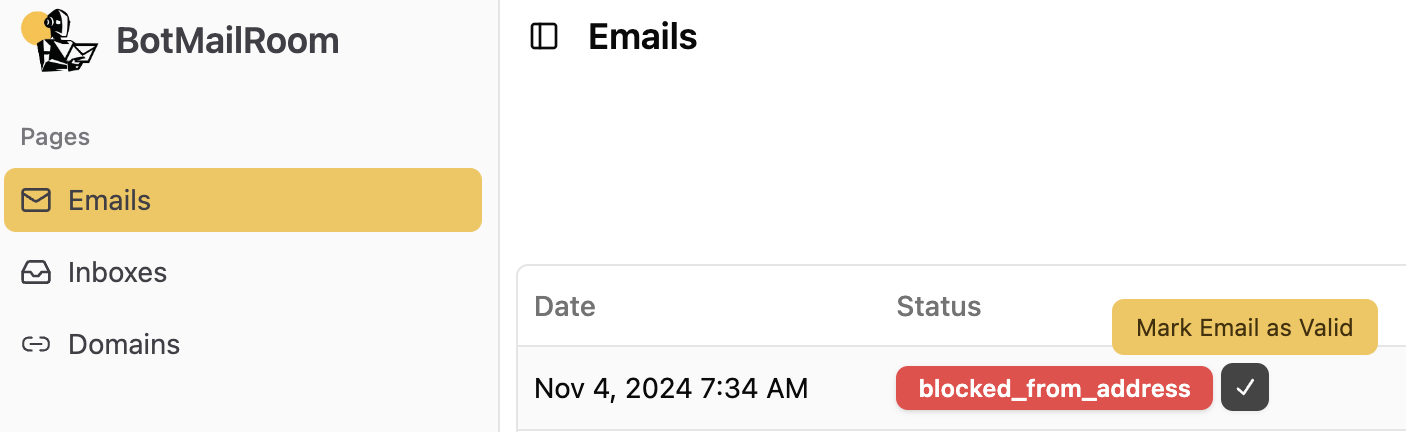
If you want to change the status of an email, you can mark it as valid or invalid by using the [mark email endpoint](/documentation/api-reference/email/mark-email) or clicking the button next to the email in the UI. Once an email is marked as valid, its content will be parsed and a webhook will be triggered (if specified for that inbox).
## Manually Marking an Email as Valid or Invalid
If you want to change the status of an email, you can mark it as valid or invalid by using the [mark email endpoint](/documentation/api-reference/email/mark-email) or clicking the button next to the email in the UI. Once an email is marked as valid, its content will be parsed and a webhook will be triggered (if specified for that inbox).