> ## Documentation Index
> Fetch the complete documentation index at: https://docs.botmailroom.com/llms.txt
> Use this file to discover all available pages before exploring further.
# Receiving Emails via Webhook
> Automatically trigger workflows and agents when an email is received
## Webhook Payload
Webhooks are sent as `POST` requests with a JSON payload to the `webhook_url`
you provided when creating or updating the inbox.
#### Payload
The plain text content of the email. Can be `null` if the email is only
available in html
The html content of the email. Can be `null` if the email is only available in
plain text
If `true`, `html` and `plain_text` are alternative representations of the same
content
The filename of the attachment
The content type of the attachment
The encoding of the attachment, as passed in the
`Content-Transfer-Encoding` header
Uniquely identifies a part of a multipart message, as passed in the
Content-ID header
The BotMailRoom ID of the attachment
The subject of the email
The date of the email in ISO 8601 format
The id of the email that this email is a reply to, as passed in the
`In-Reply-To` header. If `null`, this email is not a reply to another email
A list of ids of emails that precede this email in a conversation thread, as
passed in the `References` header. If `null`, this email is not part of a
conversation thread
The message id of the email, as passed in the `Message-ID` header. This is not
the same as the BotMailRoom email id but rather is an id used by email clients
and servers to identify emails
The BotMailRoom ID of the email
The ID of the inbox that received this email
A list of emails that precede the root email in a conversation thread, as
passed in the `References` header. If an email is not part of a conversation
thread or is not the root email, this field will be `null`. Each object is the
same structure as this object
The email formatted as markdown that can be passed into an LLM prompt
The entire email thread formatted as markdown that can be passed into an LLM
prompt. If the email is not part of a thread or is not the root email, this
will be the same as the `prompt` property
The timestamp of the webhook in ISO 8601 format
## Configuring and Validating Webhooks
When [creating or updating an inbox](/documentation/api-reference/inbox/upsert-inbox), you can specify a `webhook_url`.
### Signing Secret
#### Getting the Signing Secret
You can create a signing secret by going to the [webhook signing secrets page](https://app.botmailroom.com/secrets). When you create your first inbox, BotMailRoom will generate a signing secret for you if you don't have one yet.
You will only receive a given signing secret once, so make sure to save it in
a secure location.
If you need to regenerate the signing secret, you can do so by going to the [secrets page](https://app.botmailroom.com/secrets), and clicking the regenerate button next to the signing secret.
When you create an inbox, you must select a signing secret to use from the
dropdown if you have one.
#### Using the Signing Secret
The webhook signing secret allows you to verify that an incoming request to your service is actually coming from BotMailRoom.
You can use the [python client](/documentation/quickstart#python-client) or [typescript client](/documentation/quickstart#typescript-client) to verify the signature of the webhook:
```python
from botmailroom import verify_webhook_signature
verify_webhook_signature(signature_header, payload, webhook_secret)
```
```typescript
import { verifyWebhookSignature } from "botmailroom";
verifyWebhookSignature(signatureHeader, payload, webhookSecret);
```
Alternatively, you can manually verify the signature, here's how the process works:
1. When BotMailRoom sends a webhook with the email payload, it creates a special signature by:
* Taking the webhook payload (as raw bytes)
* Using HMAC-SHA256 with your shared secret
* Converting the result to a hexadecimal string
* Including this signature in the `X-Signature` header
2. When you receive the webhook, you need to:
* Take the raw payload bytes
* Generate the same signature using your signing secret
* Compare signatures
* To avoid replay attacks, you can also check the `timestamp` in the payload and ensure it's within a reasonable time window
If the signatures match, you know:
* The request definitely came from BotMailRoom
* The data wasn't modified in transit
Here's an example of how to verify the signature in Python:
```python
import hashlib
import hmac
from datetime import datetime, timedelta
def verify_webhook_signature(
signature_header: str, payload_bytes: bytes, webhook_secret: str
) -> bool:
hash_object = hmac.new(
webhook_secret.encode("utf-8"),
msg=payload_bytes,
digestmod=hashlib.sha256,
)
expected_signature = hash_object.hexdigest()
signatures_match = hmac.compare_digest(expected_signature, signature_header)
if not signatures_match:
return False
# Optional: check timestamp within some window
payload = json.loads(payload_bytes)
timestamp = datetime.fromisoformat(payload["timestamp"])
age = datetime.now() - timestamp
if age < timedelta(minutes=-1):
# timestamp is in the future
return False
if age > timedelta(minutes=10):
# timestamp is too old
return False
return True
```
## Testing Webhooks Locally
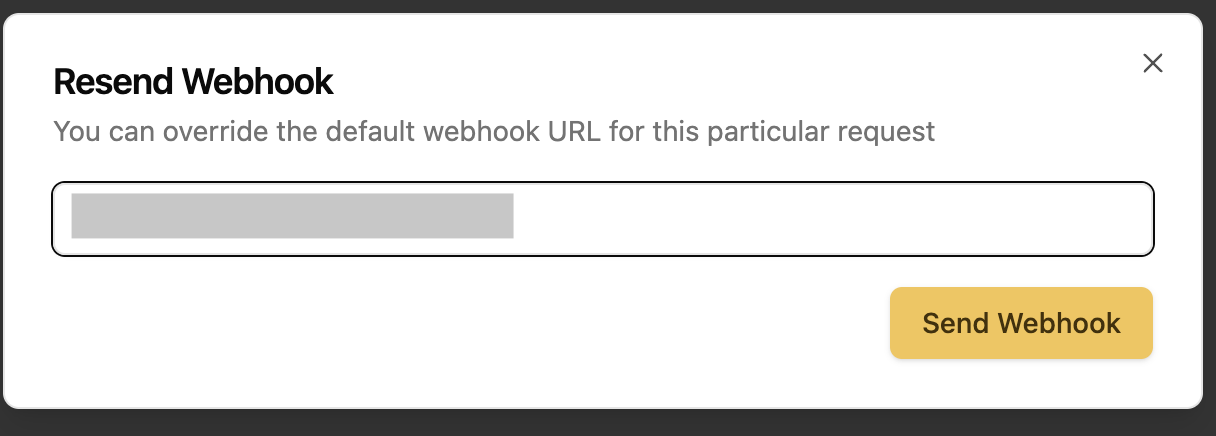
If you don't have a public url to test with you can use [smee](https://smee.io/) or a similar service to create a temporary endpoint. Make sure to put that temporary endpoint in the `webhook_url` field when creating or updating your inbox. You can also do a one-time send to a specific url in the [emails page](https://app.botmailroom.com/email) by clicking on the resend icon in the `Webhook Status` column.
 ## Webhook Retry Strategy
If your webhook fails to be delivered (any status code outside of `2XX`), BotMailRoom will retry an additional 6 times within a 12 hour period (initial interval of 30 seconds, backoff coefficient of 4). After that, you can still view the webhook log and resend it manually in the [emails page](https://app.botmailroom.com/email).
## Webhook Retry Strategy
If your webhook fails to be delivered (any status code outside of `2XX`), BotMailRoom will retry an additional 6 times within a 12 hour period (initial interval of 30 seconds, backoff coefficient of 4). After that, you can still view the webhook log and resend it manually in the [emails page](https://app.botmailroom.com/email).